Appearance
Getting Started
Welcome to the FFB Spectator Client.
This guide shows you how to verify your account, join games, and use the app in Discord - no installation required.
Important: This Activity works inside the official Discord server.
If you are not already a member, Discord can join you to the server when you open an FFB Spectator invite.
Step 1 - Verify Your Account
Link your Discord account with your FUMBBL coach profile.
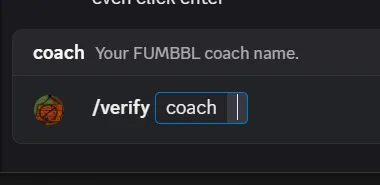
Type
/verifyin Discord and select the verify command from the suggestions.Enter your exact FUMBBL Coach Name (must match exactly).
Submit the command.
Notes
- Do not paste the command manually - use autocomplete to avoid typos.
- If you have verified before in another server using this bot, you might already be verified here.
- Verification is handled manually by volunteers - please be patient after submitting.
- If something goes wrong, DM Garcangel for help.
- Multiple FUMBBL accounts are against the rules and not allowed here.
- If you change your Coach Name, the system updates automatically after you play a game. If you need access sooner, contact Garcangel.
Step 2 - Fastest Way to Spectate
When you see a Game Detected message in Discord:
- Click Spectate.
- Click Open in Text or Open in Voice.
- FFB Spectator opens and the game loads automatically.
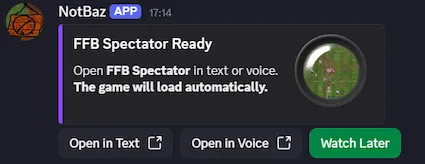
If the open buttons expire, click Spectate again to create fresh launch buttons.
When a game is over, click Watch Replay instead.
Use Open in Text or Open in Voice to watch immediately, or Watch Later to save it.
Step 3 - Manual Launch
The FFB Spectator Client runs as a Discord Activity.
You can also open it manually from either a text channel or a voice channel.
Use this if you want to browse live games, open Replay Mode, or join a room without starting from a game message.
Open the App from a Text Channel
In a text channel, there are two ways to open the app.
Option 1 - Click Join on an Existing Activity Message
If someone already started the Activity in the channel, Discord will show an Activity message.
- Find the FFB Spectator Activity message.
- Click Join.
- The app will open inside Discord.
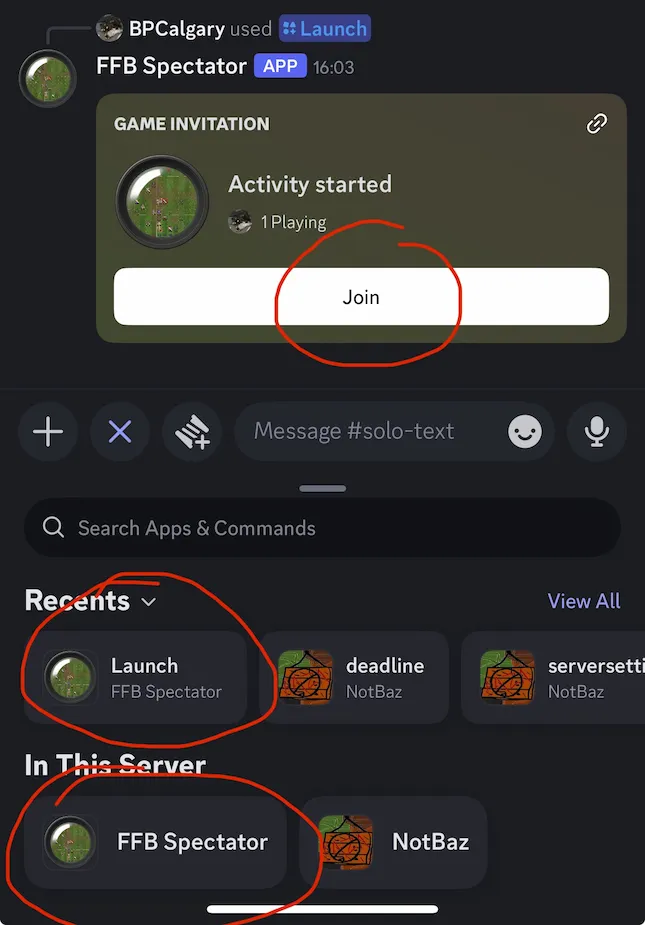
This is usually the easiest manual way to join from a text channel.
Option 2 - Use Discord's Activity Button
You can also start the app yourself from the text channel.
- Go to a Spectate or Solo text channel.
- Click Discord's Activity button near the message box.
- Select FFB Spectator.
- Click Launch.
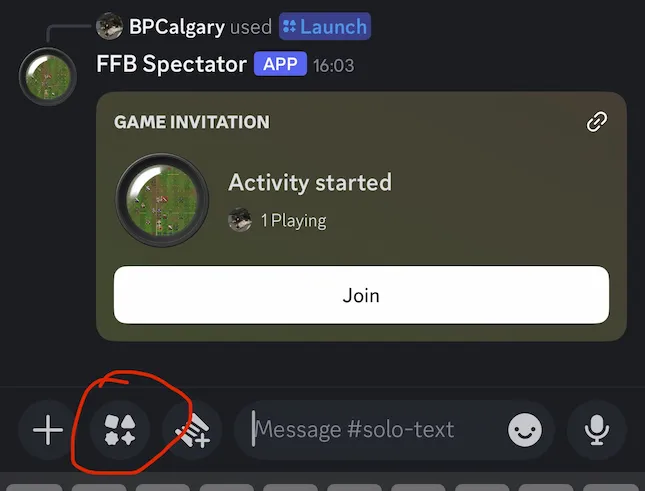
If you do not see FFB Spectator, make sure you are in the correct server and in a Spectate or Solo channel.
Open the App from a Voice Channel
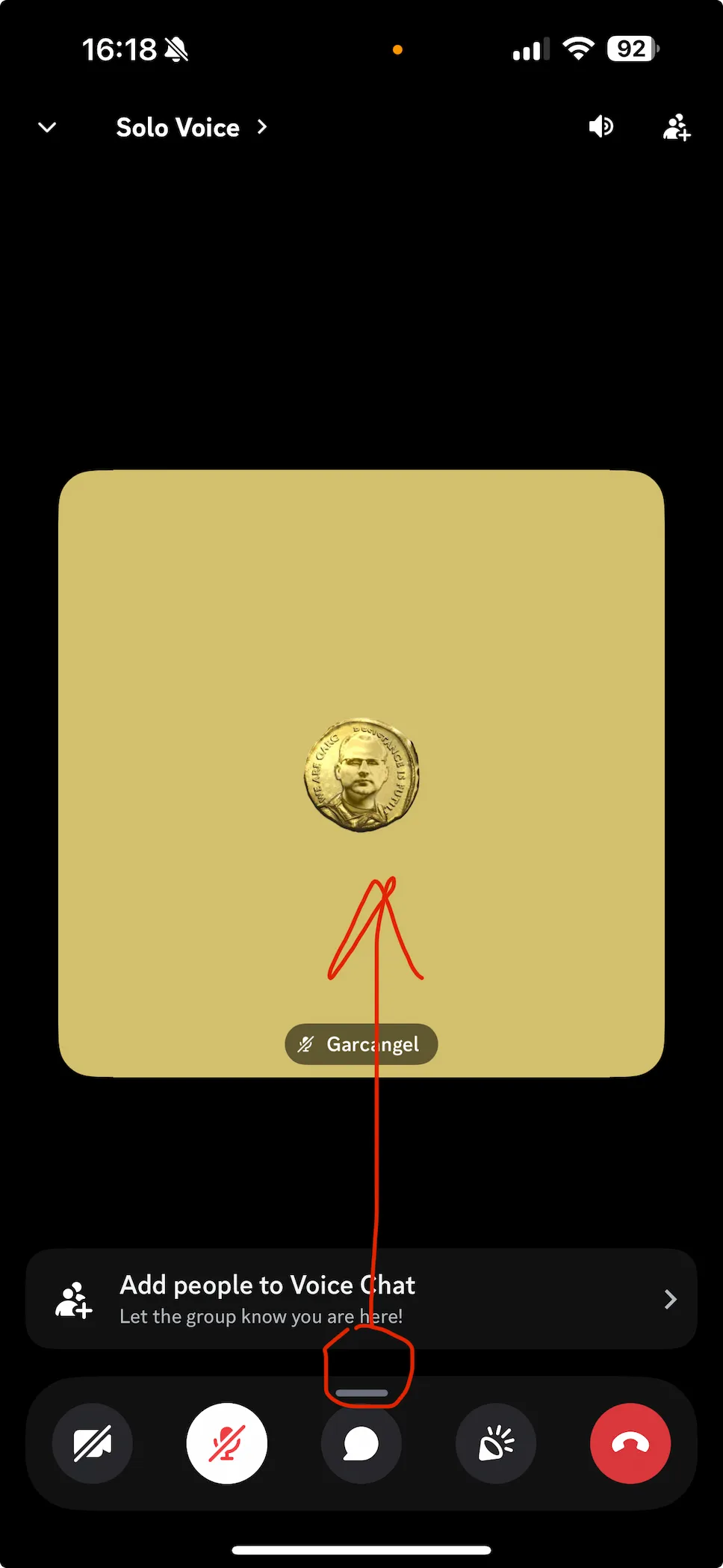
In a voice channel, Discord may hide the Activities menu behind the bottom panel.
On iPhone/mobile, the usual flow is:
- Join a Spectate or Solo voice channel.
- Swipe up on the small bar at the bottom of the voice panel to open more options.
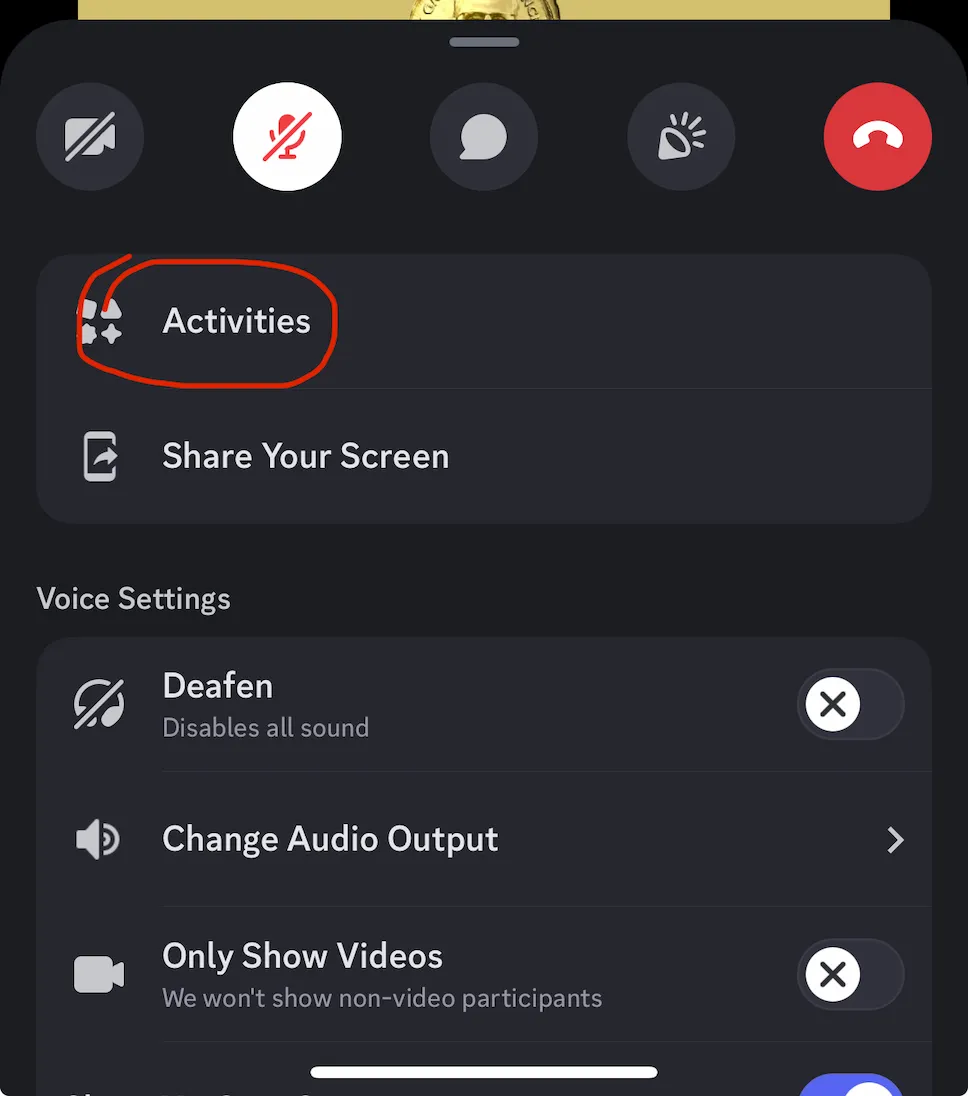
- Tap Activities.
- Select FFB Spectator.
- Tap Launch.
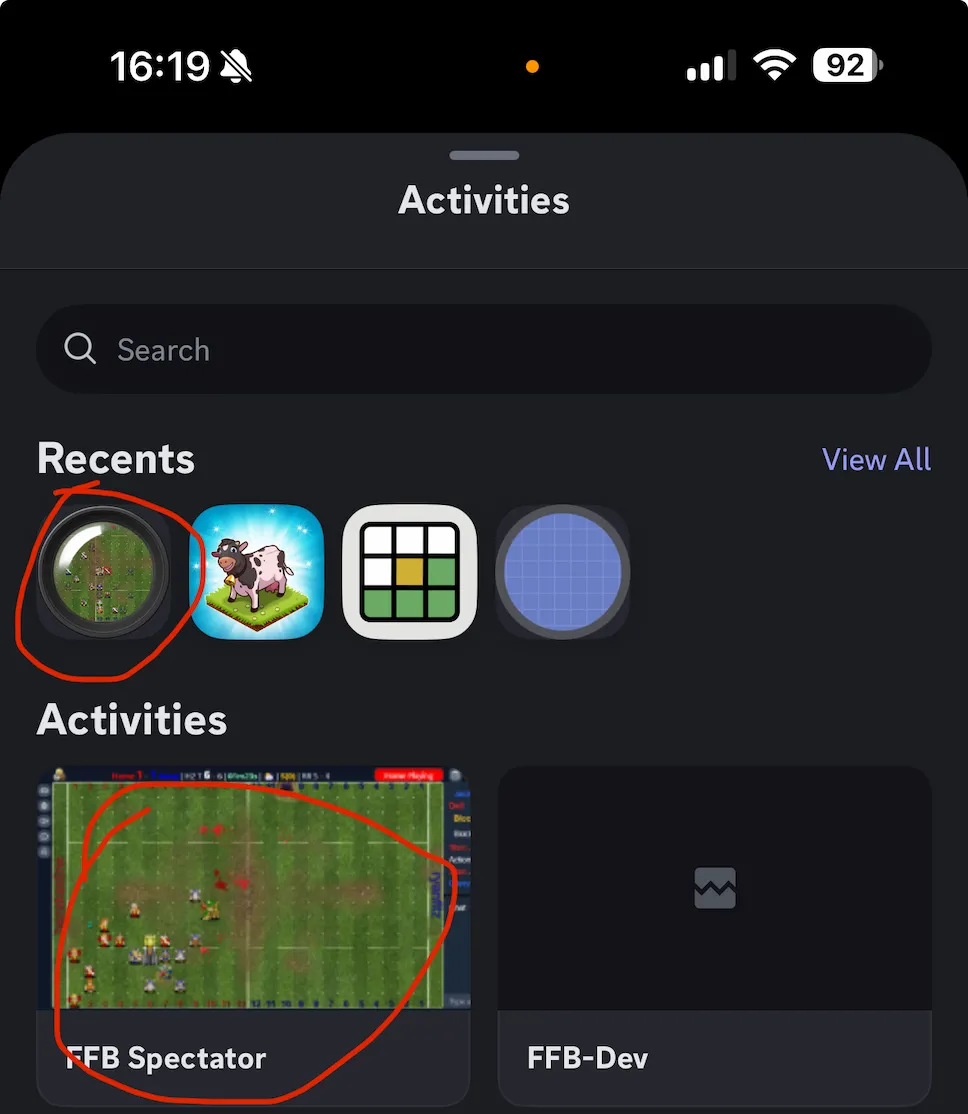
If you do not see FFB Spectator, try checking the Recents section first, or scroll through the Activities list.
After the App Opens
Once the app is open, you can use it in either Multiplayer Mode or Solo Mode.
- Spectate rooms use Multiplayer Mode.
- Solo Rooms give you full control over what you watch.
Step 4 - Watch Replays
- Join a Solo Room or a shared Spectate room and launch the app.
- If you are in a shared room, the controller chooses the replay.
- Click the Replay button.
- Paste a replay link (e.g.
https://fumbbl.com/ffblive.jnlp?replay=1821922) or type the replayId (not a gameId). - Once loaded, Replay Controls appear for Solo viewers and shared-room controllers.
Step 5 - Spectate / Replay Auto-Load
Discord game messages can also prepare a game or replay for auto-load:
Click a Spectate or Watch Replay button on any Game Detected message.
Use Open in Text or Open in Voice to launch immediately.
Or choose Watch Later to save the replay to your personal replay list.
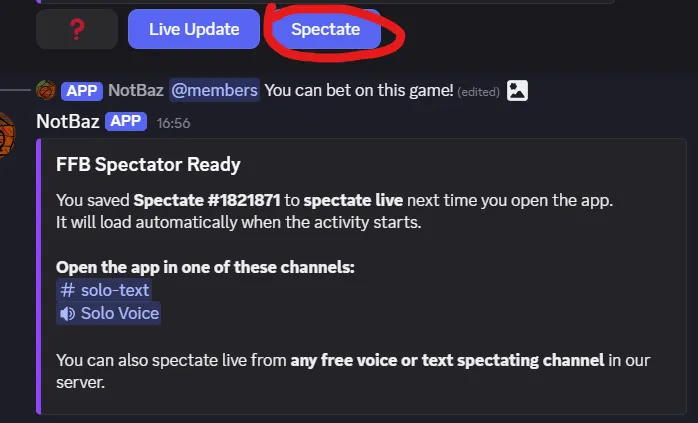
You can also right-click a Game Detected or Game Report message and choose
Apps -> Spectate.
This works even on messages without buttons, including messages from RazBot.