Appearance
Watching Replays
Watch a Replay from Discord
When a game is over, Discord game messages show Watch Replay.
- Click Watch Replay.
- Click Open in Text or Open in Voice.
- FFB Spectator opens and the replay loads automatically.
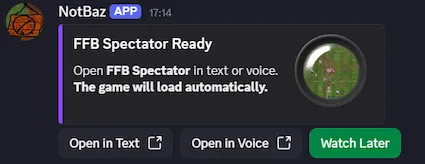
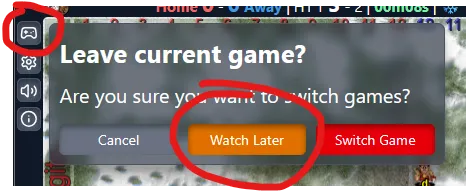
Choose Watch Later instead if you want to save the replay without opening it right away.
Enter Replay Mode Manually
Available in Solo Rooms and shared Spectate rooms.
In a shared room, the controller chooses the replay and controls playback.
Launch the app and click the Replay button if you are in Solo Mode or you are the shared-room controller.
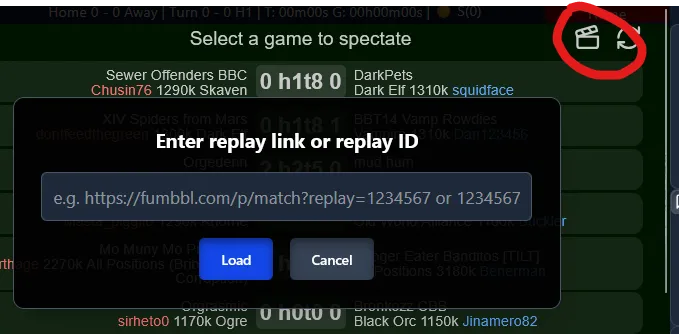
Paste a replay link (e.g.
https://fumbbl.com/ffblive.jnlp?replay=1821922)
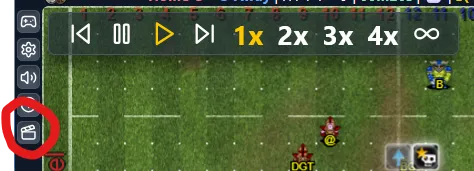
or type just the replayId (not a gameId).Once loaded, Replay Controls appear for Solo viewers and shared-room controllers.
Shared Replay Rooms
- Everyone in the room watches the same replay.
- Only the controller can play, pause, step through turns, or change replay speed.
- Viewers stay synced to the controller's replay playback.
- If everyone leaves the Activity, the replay room is cleared.
Replay Teaching Drawings
Paused shared replays support teaching-style annotations:
- Drawings stay on the pitch while the replay is paused.
- New drawings can be added on top of existing annotations.
- The controller can clear the shared annotation layer for everyone.
- When replay playback resumes, the shared annotations are cleared.
Live multiplayer drawings still behave like normal temporary drawings.
Saving Replays
Save replays to watch later:
- Click Spectate or Watch Replay on a game message, then choose Watch Later.
- Or right-click a Game Detected / Game Report message and choose Apps -> Spectate.
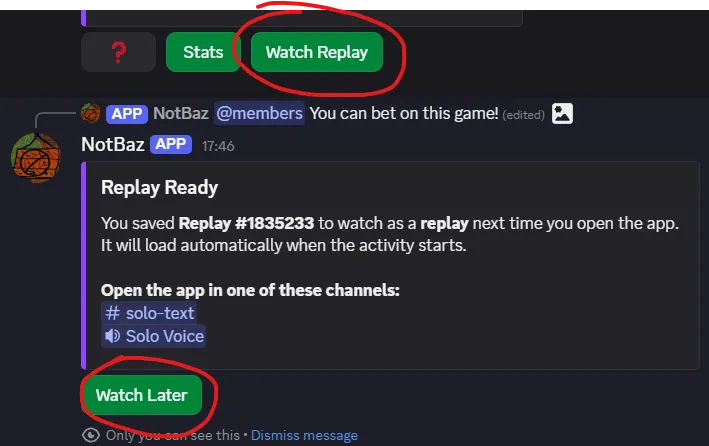
Saved replays appear in your personal Replay List (up to 10).
Replays can be deleted; the list refreshes automatically.
Save While Spectating
While watching live, click Pick Game -> Watch Later.
The current game is added to your replay list.
Replay Controls
- Replay controls are draggable.
- Position is remembered during Replay Mode, even if minimized.